 Ixitxachitl's Stream Tools
Game Wheel
Can't decide what to play? Load the wheel with your games, give it a spin in front of chat, and let fate pick. "Tonight we're playing…" — no take-backs. Watch out for surprise visitors drifting past.
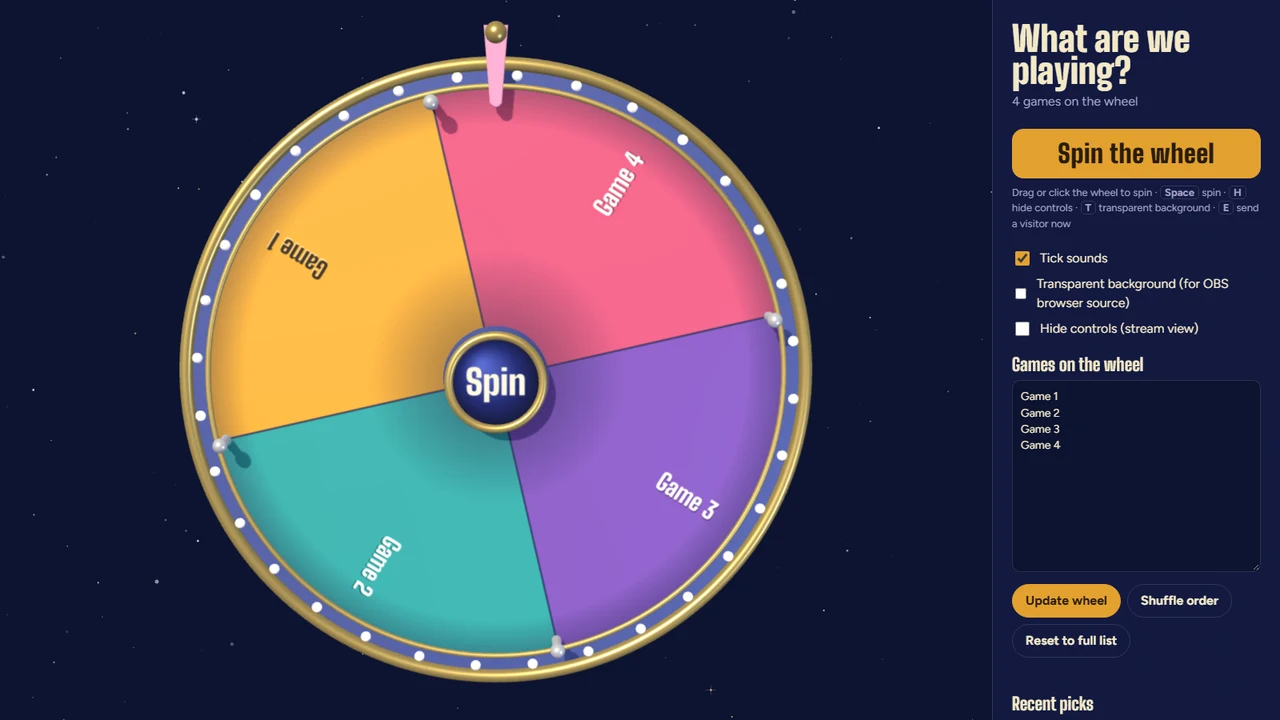
The wheel with its control panel open. On stream you can hide the panel and make the background transparent so only the wheel shows.
Setup guide
Put it on stream
-
Add a Browser source
In OBS click + under Sources → Browser. Paste
https://wheel.ixitxachitl.com/and set it to1920×1080. - Open it with Interact Right-click the source → Interact. You'll see the wheel and its control panel.
- Add your games Type your games into Games on the wheel, one per line, and press Update wheel.
- Make it stream-ready Tick Transparent background (or press T) and Hide controls (or press H). Now only the wheel shows on stream.
- Spin! In the Interact window, click or drag the wheel, or press Space. When it stops you get a "Tonight we're playing…" card.
Keyboard shortcuts
| Key | Does |
|---|---|
| Space | Spin the wheel |
| H | Hide / show the control panel (stream view) |
| T | Transparent background on / off |
| E | Send a surprise visitor across the screen now |
| Esc | Close the winner card |
Shortcuts work while the wheel's window has focus. In OBS that means inside the Interact window.
After the spin
- Remove and close takes the winner off the wheel, so it can't come up again.
- Spin again if chat demands a re-roll.
- Close keeps the game on the wheel for next time.
- Every pick is saved under Recent picks in the control panel.
More tricks
Control panel extras
- Tick sounds play while the wheel spins. Untick it for a silent wheel.
- Shuffle order mixes up where the games sit on the wheel.
- Reset to full list puts the starting list back (it asks first).
- Hid the controls and can't find them? Press H, or click the Show controls button.
Questions
What are the surprise visitors?
Every so often a little friend (an astronaut cat, a UFO and more) drifts across the screen. Click one for hearts, or press E to call one in right away.
Can I spin it from my normal browser instead?
Yes. Open the wheel in your browser and add it to OBS with a Window Capture. The transparent background only works as a browser source, though, so you'll see the starry sky.
My games list is different in OBS and in my browser
That's expected. Each browser keeps its own saved list, and OBS counts as its own browser. Set up the copy you actually show on stream.